
Want top-tier gaming power without paying full price? A refurbished gaming pc makes that possible, and this guide shows you how to buy one right.
Most gamers assume refurbished means second-hand. That’s outdated thinking. Sellers today strip machines down, test every part, and rebuild them to a standard that competitors’ brand-new stock. A refurbished gaming pc bought from the right seller runs just as well as a new rig.
At Veno Scorp, every unit gets checked, stress-tested, and backed by a warranty before it reaches a buyer’s desk.
Why a Refurbished Build Beats Buying New
Buying new feels like the safe option. It rarely is, once you look at the numbers. A refurbished system often offers the same GPU and CPU as a current-gen new build. You’re paying less for identical performance.
There’s an environmental case too. Refurbished builds keep working hardware out of the landfill and improve the life of components that still have plenty left to offer.
Money saved on the systems themselves can go further, too. Many buyers use the difference to add a better monitor, a mechanical keyboard, or extra storage. That flexibility rarely exists with a new build.
Key Benefits of Buying Refurbished
- Lower cost for near-identical specs to new builds
- Tested hardware with far less failure risk than buying blind second-hand
- Warranty cover from sellers who stand behind their stock
- Quicker access to strong components, no long factory wait times
- Reduced waste through genuine component reuse
- More budget freedom for accessories and upgrades
What to Check Before You Commit
Not every refurbished listing is worth your money. Some are excellent. Others are barely disguised e-waste. Here’s what separates the two.
Component Condition and Testing Reports
Ask for proof of testing. A decent seller will show that the GPU, CPU, RAM, and storage all passed stress testing before listing. If they can’t produce this, walk away.
Warranty and Return Policy
Never buy without checking the warranty length first. Six months is a fair minimum. A full year is better. Anything with no warranty at all should raise a flag immediately.
Build Age and Upgrade Room
Older doesn’t automatically mean weaker. A three-year-old GPU can still handle plenty of modern titles comfortably. Just confirm it actually runs the games you care about before you buy.
Cosmetic Condition and Included Accessories
Ask whether the case shows heavy wear or just light use marks. Check what’s actually included, too. Some listings come with the original cables and manuals. Others arrive stripped down to just the tower.
Seller Track Record
Look past the star rating and read the actual reviews. Consistent comments about build quality and honest support matter far more than a headline score. A seller with years of history behind them is usually a safer bet than a brand-new listing with no track record.
What Kind of Performance Can You Actually Expect
A lot of buyers assume that refurbished automatically means slow. That’s rarely true these days. Plenty of refurbished builds carry mid-to-high-range GPUs that handle demanding games at solid settings without struggling. Use this as a rough guide, not gospel. It gives you a realistic sense of what your budget can actually buy. Buyers chasing competitive esports titles can often get away with an entry-tier build. Anyone wanting the latest AAA releases at higher settings should look toward the mid or high tier instead.
| Tier | Typical GPU | Best For |
|---|---|---|
| Entry | GTX 1660 or equivalent | 1080p gaming, esports titles |
| Mid | RTX 3060 or equivalent | 1080p to 1440p, most AAA games |
| High | RTX 3070 or above | 1440p to 4K, demanding titles |
Standard Build or White Gaming PC
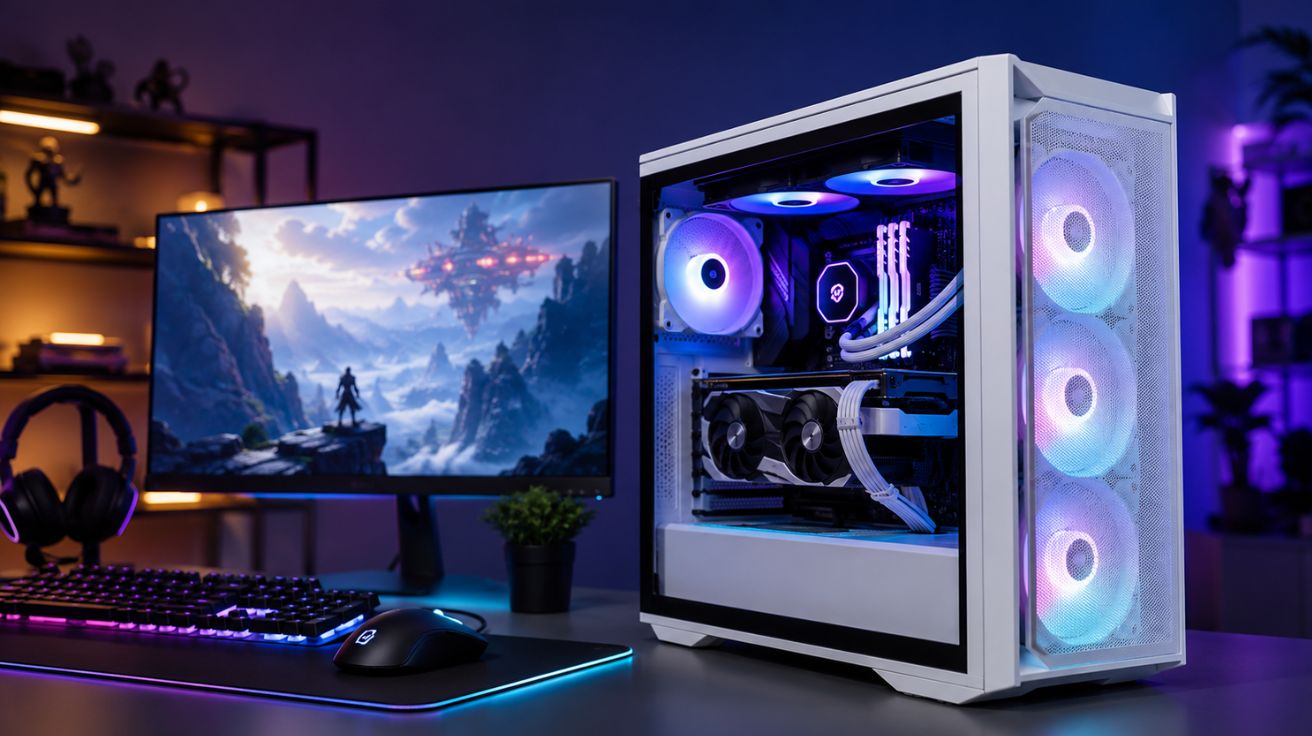
A White Gaming Pc has become a genuinely popular pick lately, especially for buyers building bright, minimal desk setups.
The Look and Feel of a White Build
A White Gaming PC case tends to pair beautifully with RGB lighting. One catch: white cases show dust faster than black ones do, so factor in a bit of extra cleaning. Plenty of refurbished sellers now stock white cases alongside the usual black builds, so buyers aren’t paying a premium just for colour.
Airflow Still Matters
Compact or stylish cases can sometimes choke airflow. Check fan count and ventilation before buying. Good airflow keeps refurbished parts running cool, which matters even more on components that have already done a few years of work. A cramped case with poor ventilation can shorten the lifespan of an otherwise solid build.
Mistakes Worth Avoiding
Rushing this decision tends to cost people later. Some of the common mistakes include:
- Ignoring the power supply wattage
- Skipping the fine print on returns
- Grabbing the cheapest listing without checking specs properly
- Forgetting to check whether ports match current peripherals
- Not checking driver or BIOS update history
- Overlooking noise levels, especially with older fans
A few extra minutes checking these details can save weeks of hassle later.
Does Refurbished Hold Up Long Term
Properly tested builds tend to hold their value well. Components rarely fail early once they’ve already passed rigorous checks. Buyers who take the time to research usually report years of solid use, not months of regret.
It also helps to think about resale. A well-maintained, refurbished building can still fetch a fair price down the line, especially if it’s kept clean and free of physical damage. Treating it well from day one pays off twice.
Find the Right Gaming PC for Your Budget!
A refurbished gaming pc delivers genuine performance without the new-build price. It suits budget-conscious gamers and anyone who prefers a slightly more sustainable purchase. Whether the choice lands on a standard build or a White Gaming Pc, working through the checklist above helps avoid the costly mistakes most buyers only learn about the hard way.
Read More: DIY Phone Screen And Battery Replacement: Easy Repair Guide


Leave a Comment