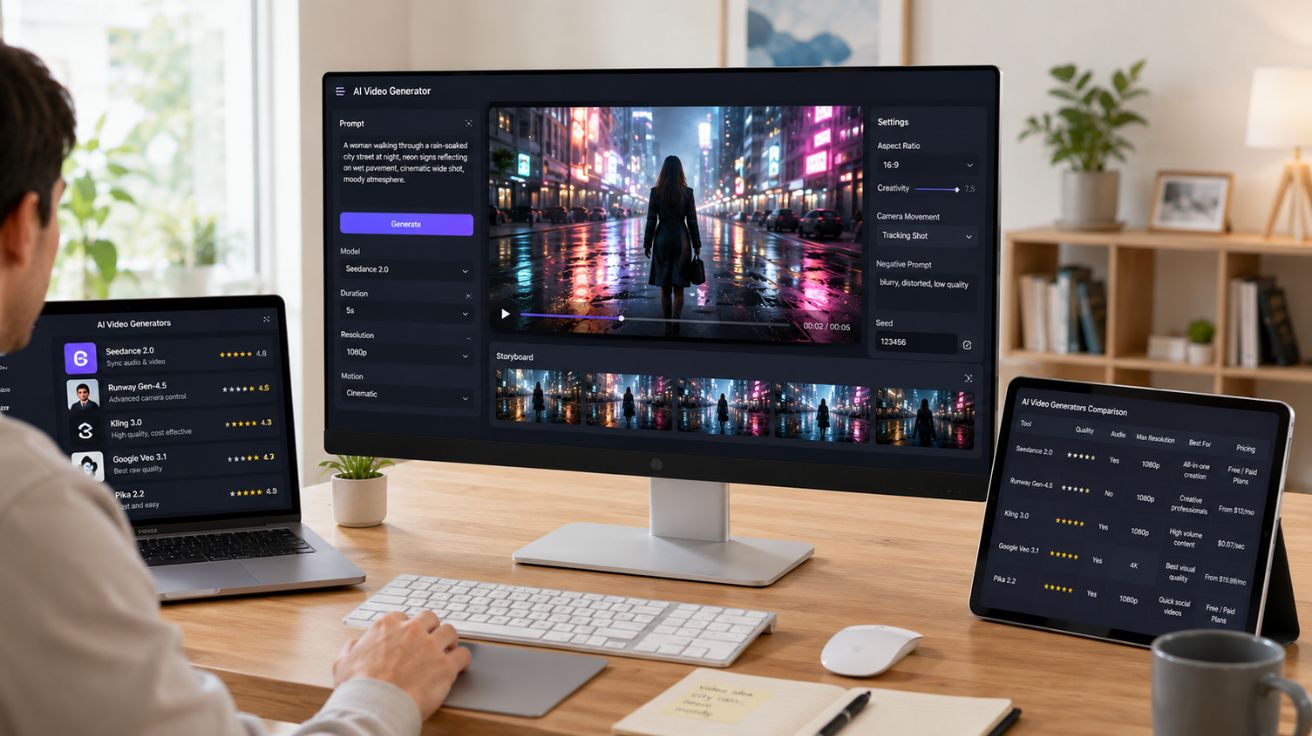

Last month, a friend texted me at 11pm: “which AI video tool should I use?”
It’s a question that should have a simple answer. It doesn’t. Every tool claims to be the best. Every review article lists the same five names in a slightly different order and calls it a day. Nobody really tells you what it’s like to actually sit down, type a prompt, and wait for something usable to come out.
So that’s what this is. Not a feature sheet comparison. Not a sponsored ranking. Just an honest account of what happened when a real prompt hit five different tools — the good, the frustrating, and the genuinely surprising.
The Setup
The prompt used across all five tools was the same: a woman walking through a rain-soaked city street at night, neon signs reflecting on wet pavement, cinematic wide shot, moody atmosphere.
It’s a classic test because it requires the model to handle lighting, reflections, weather physics, natural motion, and atmosphere all at once. Easy to describe, hard to execute well.
Seedance 2.0 — The One That Surprised Me Most
Going in, there was a lot of hype around Seedance 2.0 — ByteDance’s latest video model — and hype usually leads to disappointment. Not this time.
The clip came back with the rain-slicked pavement, the neon reflections, and the character moving naturally through the frame. What caught me off guard was the audio. Nobody asked for audio. But Seedance 2.0 generated it anyway — ambient city sounds, soft rainfall, a low atmospheric hum that matched the mood exactly. The audio and video felt like they were made together, because they were. That’s the technical edge Seedance 2.0 carries: it generates sound and picture simultaneously rather than layering them as an afterthought.
The other thing worth mentioning is the multimodal input system. Most generators take a text prompt and produce a clip. Seedance 2.0 takes text, reference images, video clips, and audio files — up to 12 reference inputs at once — and builds something from all of them together. For creators who already have a style, a character, or a mood board they’re working from, that’s a fundamentally different kind of tool.
For the rainy city test, the character stayed consistent, the lighting held, and the physics of the rain felt believable rather than decorative. There are still artifacts if you freeze-frame and zoom in — hands and background crowd details are the usual weak spots — but in motion, the clip held up.
If you want to try it without committing to anything, the Seedance free video generator is a solid starting point with no technical setup required.
- The native audio felt naturally integrated
- Character consistency remained strong throughout
- Rain and lighting physics looked believable in motion
- Supports up to 12 multimodal reference inputs
Verdict: The most complete output of any tool tested. The native audio alone saves a significant amount of post-production time.
Runway Gen-4.5 — Steady, Reliable, Familiar
Runway produced a good clip. Not a surprising one — just a well-executed one. The neon reflections were accurate, the camera feel was cinematic, and motion stayed smooth across the full clip duration. For a tool that’s been around long enough to build a real user base, that consistency is the point.
The thing Runway does that others don’t is give you genuine control after the fact. Motion brush lets you decide which parts of the frame move and which stay still. Camera movement can be adjusted, not just described. If the first generation isn’t quite right, there are real levers to pull rather than just rewriting the prompt and hoping for better luck.
That workflow feels familiar to anyone who has spent time in traditional video editing software — and that’s exactly why creative professionals keep coming back to it. The learning curve is low if you already think in terms of shots and camera language.
The limitations are real though. No native audio, which means a separate production step. Credit costs add up fast when you’re iterating. And the resolution cap at 1080p puts it behind some newer models for projects that need to be delivered at higher quality. Plans start at $12/month, but production-level use lands in higher tiers.
- Motion brush gives better post-generation control
- Camera movement adjustments feel professional
- Workflow suits experienced video editors
- No native audio generation included
Verdict: The safest choice for professional deliverables. Not the flashiest, but rarely disappointing.
Kling 3.0 — The Budget Workhorse
Most of the conversation around Kling is about cost, and that’s fair — at around $0.07 per second of video, it’s producing quality that should cost more. But the cost story undersells the actual output.
The rainy city clip from Kling had motion that felt genuinely physical. The character’s gait, the way the coat moved, the splash pattern from puddles — there was a sense of weight to it that a lot of tools skip. Fast movement is where many AI video models fall apart, and Kling handled it cleanly.
Kling 3.0 also introduced native audio generation, which puts it in direct competition with Seedance 2.0 on that front. And clips can run up to two minutes — far longer than most competitors offer as a standard output.
The photorealism ceiling is slightly lower than Veo 3.1 or Runway on close-up shots. For wide establishing shots like the test prompt, it didn’t matter. For intimate character scenes, it might.
Where Kling really earns its place is in workflows that require volume. Generating 20 variations to find the right hook, testing different visual styles across a campaign, producing content consistently week over week — Kling doesn’t get tired and doesn’t get expensive. That makes it the quiet workhorse of the group.
- Affordable generation cost for creators at scale
- Strong motion physics and movement realism
- Native audio generation included
- Supports clips up to two minutes long
Verdict: The best value in the market. The right tool for high-output creators who can’t afford Runway-level costs at scale.
Google Veo 3.1 — The Best Raw Quality
The Veo 3.1 output was, visually, the best of the five. Native 4K resolution means the pavement texture, the neon glow, and the rainfall all rendered with detail that the other tools simply don’t match at output size. The physics handling — the way light scattered through rain, the way the character moved through it — felt closer to filmed footage than generated video.
It also produces native audio, and the sound design quality matched the visual quality. The whole thing felt like it came from a single production process rather than assembled parts.
The trade-off is price. Veo 3.1 is charged per second of generated video, and that adds up quickly for projects that need multiple rounds of iteration. It’s also most naturally integrated into Google’s ecosystem — useful if that’s where your workflow already lives, less so if it isn’t.
For high-stakes projects where the output needs to survive scrutiny — a brand film, an agency pitch, content going to a large audience — Veo 3.1 is where to start.
- Native 4K output delivers superior detail
- Realistic lighting and rain physics
- High-quality native audio generation
- Better suited for premium commercial projects
Verdict: Highest ceiling of any tool tested. The cost per generation makes it a deliberate choice rather than an everyday tool.
Pika 2.5 — The One With the Tricks
Pika doesn’t try to win on realism. The rainy city clip was softer than the others, the physics less convincing. And honestly, that’s fine — because Pika is doing something different.
Pikaformance is the feature that sets it apart: give it a static image and an audio file, and it generates a video of that face performing the audio. Singing, speaking, reacting. The result is genuinely uncanny in a way the other tools don’t offer. For musicians, storytellers, or anyone producing character-driven content, that capability doesn’t exist anywhere else in quite the same form.
The other “Pika Powers” — stylistic transformations, visual effects, quick swaps — give it a creative range that makes it useful for experimentation even when it’s not the strongest on raw quality. Generation is also fast, around 42 seconds per clip, which matters when you’re testing ideas and want results quickly.
At $8/month, it’s the most accessible entry point on this list. For social media creators who need to move fast and want something different from what everyone else is producing, Pika has a real case.
- Pikaformance enables audio-driven face animation
- Fast clip generation for rapid experimentation
- Creative effects and transformations stand out
- Lower realism but stronger creative flexibility
Verdict: Not the tool for cinematic realism. The tool for creative range and fast experimentation.
What the Test Actually Showed
Running the same prompt through five tools revealed something the feature comparisons don’t surface: the difference between tools isn’t just quality, it’s what kind of creative problem they’re designed to solve.
- Seedance 2.0 focuses on complete audiovisual generation
- Runway prioritizes professional creative control
- Kling makes large-scale production affordable
- Veo 3.1 aims for maximum visual realism
- Pika emphasizes experimentation and creative flexibility
None of them is the right answer for everyone. The right move is to take one test prompt — something that matters to your actual work — and run it through two or three of these. What comes out will tell you more than any review article can.
Read More: RK3588 SOM vs Traditional x86 IPC for Industrial AI


Leave a Comment