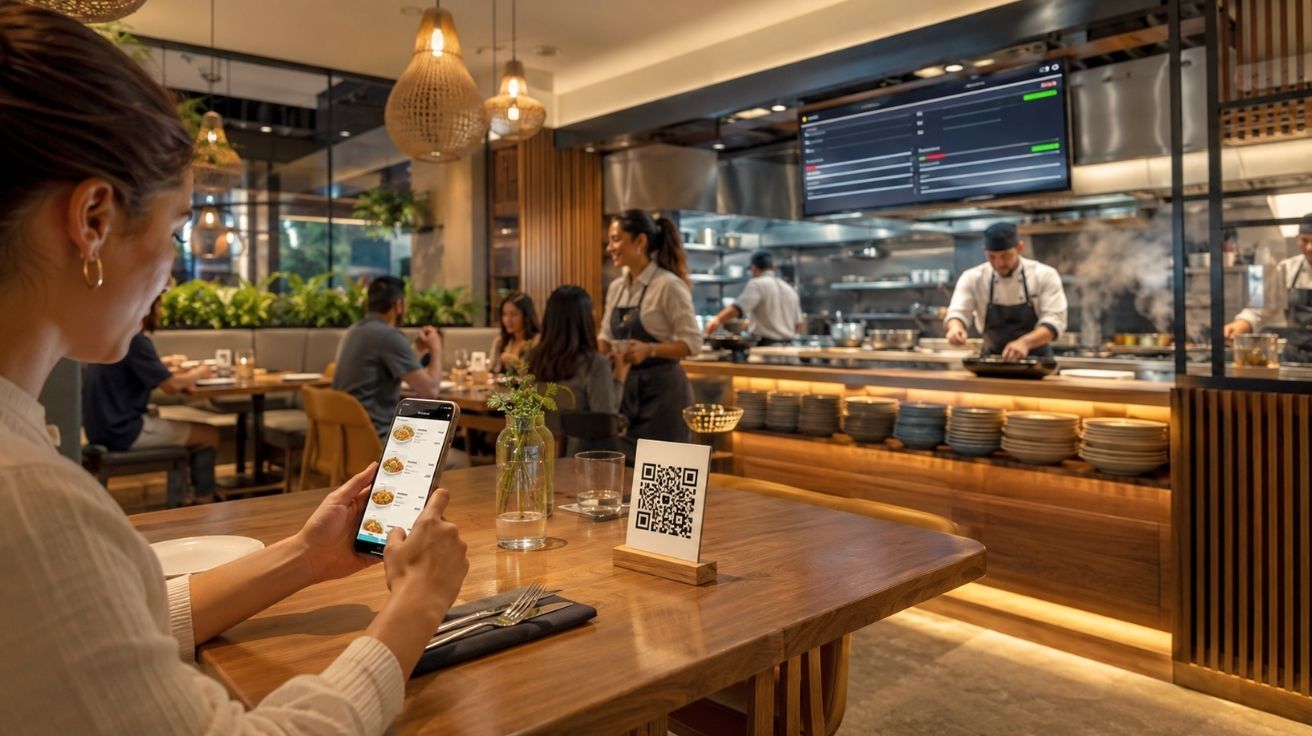

Restaurants operate on tight margins and tighter timelines. A table that waits too long for a server to take an order, or a kitchen that receives handwritten tickets with missing modifiers, creates friction that compounds across every service period. These aren’t abstract problems — they affect table turnover, order accuracy, staff workload, and ultimately, customer satisfaction.
Over the past few years, QR code-based ordering has moved from a contactless workaround into a standard operational tool for independent restaurants, chains, and food service venues of all sizes. The shift happened partly because of necessity, but it has stayed because the operational logic is sound. When a customer scans a code and places their own order directly, the process removes several points of potential error and allows front-of-house staff to concentrate on service rather than order-taking logistics.
What surprises many restaurant operators is how quickly a functional system can actually be set up. This article walks through the real components involved — not in theory, but in practical terms — so that anyone running or managing a food service operation can understand what’s required, what to expect, and how to get it working without a technical background.
What an Online Restaurant Menu Ordering System Actually Does
An online restaurant menu ordering system is a digital infrastructure that connects a customer-facing menu — accessed via a QR code on a phone or tablet — to an ordering workflow that routes the request to the appropriate point in a restaurant’s operation. It replaces or supplements the traditional process of a server presenting a physical menu, taking a verbal or written order, and manually entering it into a point-of-sale system.
When set up correctly, an online restaurant menu ordering system handles the full sequence from menu presentation to order submission in a single, uninterrupted flow. The customer sees the current menu, selects items, adds any customizations, and submits — all without needing to flag down staff. The kitchen or bar receives the order directly, either through a printer, a display screen, or an integrated POS notification.
The Components That Make It Work
There are three functional layers to any QR code-based ordering setup. The first is the menu itself — a digital representation of what the restaurant offers, organized in a way that makes sense to the customer. This isn’t just a PDF of the printed menu. A functional digital menu allows for item descriptions, photos, modifiers, dietary flags, and availability toggles so that items can be removed from view when they run out mid-service.
The second layer is the QR code, which acts as a physical access point. The code links directly to the menu URL, so when a customer scans it, they arrive at the right place immediately. This seems simple, but the reliability of this link matters — a broken or expired QR code during a busy service period creates confusion and delays that affect the whole table.
The third layer is the order routing mechanism. Once a customer submits an order, it needs to reach the kitchen or bar in a usable format. This may be through direct integration with a point-of-sale system, a standalone order management dashboard, or a printed ticket system. The choice depends on the existing infrastructure in the restaurant, but the principle is the same: orders need to arrive clearly, quickly, and in a format that kitchen staff can act on without interpretation.
Setting Up the System: A Practical Walkthrough
The speed at which this can be set up depends on having the right inputs ready before starting. For most restaurant operators, the actual configuration process is not the slow part — the slow part is organizing the menu content. Once that content is prepared, the technical steps are straightforward and don’t require developer involvement.
Preparing Your Menu Content First
Before opening any platform or tool, it helps to have the menu structured in a clear format. This means organizing items by category — starters, mains, beverages, desserts — and identifying which items need modifiers. Modifiers are the conditional choices attached to an item: cooking preferences, portion variations, add-ons, or substitutions. These need to be mapped clearly because they affect both the customer experience and the accuracy of what the kitchen receives.
Pricing should also be current and verified. One of the more common errors in digital menu setups is importing outdated pricing from a printed menu that hasn’t been revised. Since a digital menu can be updated instantly after setup, this is easy to correct, but starting with accurate data avoids confusion during the initial launch period.
Building the Menu in a Digital Platform
Most QR code ordering platforms offer a structured interface for entering menu items. You add a category, then add items within it, then attach any modifiers or options. The process is not unlike filling in a spreadsheet, except the platform handles the formatting and display automatically.
The key decision at this stage is how the menu will appear on a customer’s phone. Most platforms offer a preview mode that shows exactly what customers will see when they scan the code. It’s worth spending time here to check that items are grouped logically, descriptions are readable, and the ordering flow feels intuitive. A menu that requires too much scrolling or has unclear item groupings creates friction that leads to abandoned orders or requests for server assistance — which defeats the purpose of the system.
Generating and Placing QR Codes
Once the menu is built and the ordering flow is configured, the platform generates a QR code tied to the menu URL. This code can be downloaded and printed on table cards, laminated placeholders, stickers applied to existing menus, or included on printed receipts. The format matters less than the placement — the code needs to be visible, reachable, and scannable without the customer having to move or adjust their position at the table.
It’s also worth generating separate QR codes for different areas of the venue if the ordering experience varies. A rooftop bar and a main dining room may have different menus or different item availability, and giving each area its own code makes management cleaner. According to Wikipedia’s overview of QR code technology, the format supports significant data encoding capacity, which means the codes can carry complex URLs without any loss of reliability in scanning.
Connecting Orders to the Kitchen
The most operationally sensitive part of any ordering system is what happens after the customer submits. If orders don’t reach the kitchen in time, or arrive in a format that causes confusion, the efficiency gained at the front of house is lost at the back.
Choosing the Right Output Method
Restaurants have different kitchen setups, and the right output method depends on what staff are accustomed to working with. A kitchen that already uses a kitchen display system can often integrate with a QR ordering platform directly, so orders appear on the screen alongside those entered at the POS. Kitchens that work from printed tickets can connect a receipt printer to the system, so orders print automatically when submitted.
For smaller operations or those setting up for the first time, a tablet or monitor displaying a live order dashboard is often the simplest starting point. It requires no hardware integration and gives kitchen staff a clear view of incoming orders as they arrive. The trade-off is that someone needs to monitor the screen actively, which may not suit all kitchen configurations.
Testing Before Going Live
Before the system goes live during a real service period, it’s worth running through the full process from the customer’s perspective. Scan the QR code, place a test order, and confirm it arrives in the kitchen exactly as expected. Check that modifiers are recorded correctly, that item names match what the kitchen team refers to them as, and that the timing between submission and receipt is acceptable.
This testing step takes a few minutes and prevents the kind of operational disruption that occurs when a new system is discovered to have a configuration problem mid-service. Staff should also be briefed on how to handle customer questions about the new process, since not every customer will be equally comfortable with scanning and ordering digitally.
Managing the System Day to Day
One of the practical advantages of a well-configured online restaurant menu ordering system is that ongoing management is lighter than maintaining printed menus. Price changes, item additions, seasonal specials, and availability updates can all be made through the platform’s dashboard and reflected immediately in the live menu without reprinting anything.
Keeping the Menu Accurate Over Time
The discipline required for a digital menu is different from a printed one. Because changes are easy to make, they can also be easy to defer. A menu that has outdated items, missing descriptions, or broken modifier options creates customer confusion and kitchen errors. Assigning responsibility for menu accuracy to a specific person — whether a manager, front-of-house lead, or owner — keeps the system reliable over time.
Availability management is particularly important during service. Most platforms allow items to be toggled off when they run out, and this should be done in real time rather than waiting until a customer tries to order something that’s no longer available. This is a small habit that has a significant effect on the consistency of the customer experience.
Using Order Data Thoughtfully
A digital ordering system generates a record of what was ordered, when, and in what combinations. This data is not useful in isolation, but it becomes valuable when reviewed over time. Patterns in popular items, peak ordering times, and frequently modified dishes can inform purchasing decisions, staffing schedules, and menu design for future seasons. This information exists in paper-based systems too, but it requires manual aggregation. In a digital system, it’s already organized and accessible.
Closing Thoughts
Setting up a QR code-based ordering system doesn’t require a technology background, a large budget, or significant downtime. The process is more about preparation than complexity — having menu content organized, understanding how orders need to flow to the kitchen, and testing the system before it faces real conditions.
The real value of a well-configured online restaurant menu ordering system isn’t the speed of setup. It’s the consistency it introduces into daily operations: fewer order errors, less pressure on front-of-house staff during peak periods, and a menu that can be kept current without the delay and cost of reprinting. For restaurant operators evaluating whether the investment of time is worthwhile, the question isn’t really whether to set it up — it’s how to do it in a way that matches how the restaurant actually runs. That answer starts with understanding the components clearly, which is exactly what this walkthrough is meant to support.
Read More: Top 10 Industries in the US That Urgently Need Scientific Advisory Experts in 2025


Leave a Comment