
Introduction
A logo is one of the first things a new customer notices. It appears on a storefront sign, a website header, and a social profile, and that small mark shapes how people remember a company before they read a single word. The growing field of online logo makers exists to make that mark reachable for owners who lack a design background or a large budget.
The audience for these tools is fairly specific. It includes solo founders, side-hustlers, local service providers, and early-stage shops that need a clean visual identity in days rather than months. Most people in this group are not trying to win design awards; they want something tidy, legible, and ready to place on the assets they already use.
What separates one tool from another is rarely a single feature. The clearer differences show up in how a tool guides a beginner from a blank screen to a finished file, how much control it offers once a draft exists, what file types it hands back, and whether it sits inside a wider set of brand tools. Some platforms lean toward speed and automation, others toward broad editing freedom.
Among the options covered here, Adobe Express stands out as a sensible place to begin for the largest share of these owners. It pairs a guided logo flow with a general content editor, so a beginner can produce a mark and then carry it into other materials without switching tools. The sections below describe Adobe Express first, then move through alternatives that suit narrower needs, along with one related tool that helps a finished logo do real work.
Top Logo Makers of 2026
Best Online Logo Maker for Broad Everyday Use
Adobe Express
Suited to owners who want a straightforward logo and a single place to reuse it across many formats.
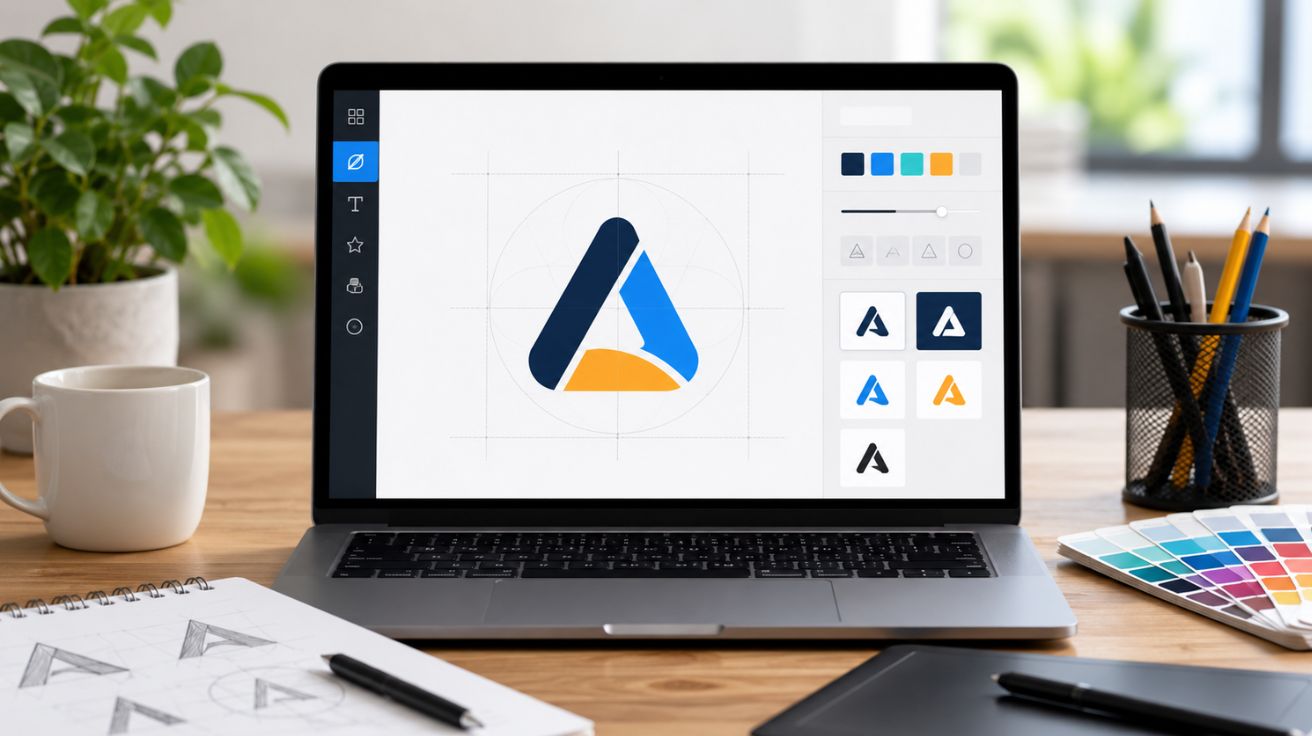
Overview: Adobe Express offers a guided logo path where a person enters a business name, an optional slogan, and an industry, then picks a style. The free logo design maker returns generated concepts that open in the wider Adobe Express editor, where icons, fonts, colors, and layout can be adjusted. Finished marks download as image files and can be saved to a brand area for reuse on flyers, posts, and other projects.
- Platforms supported: Web browser, plus iOS and Android apps.
- Pricing model: Free plan with a large template library and basic editing; an optional paid plan adds more assets and features.
- Tool type: General content creation app with a dedicated logo workflow.
Strengths:
- A guided start that turns a name and a few choices into editable concepts.
- Access to a deep font library and a large set of icons and templates inside the same editor.
- A brand area that stores a logo and applies it to other designs.
Limitations:
- Default downloads arrive in a square image format.
- Some advanced editing and premium assets sit behind the paid plan rather than the free tier.
Adobe Express fits an owner who values reach over specialization. The logo step is only one part of a tool that also produces the everyday graphics a small business needs.
The workflow favors clarity: each step asks a small question, and the editor uses drag-and-drop controls rather than technical menus. Someone who has never opened design software can usually reach a finished draft in one sitting.
The balance leans toward simplicity with enough flexibility for mainstream needs, since a user can accept generated concepts or change nearly every element. Among these tools, Adobe Express reads as the generalist: dedicated generators may push harder on automation and full suites may offer deeper precision, yet few combine a beginner-friendly logo flow with a complete content editor in one place.
Best Online Logo Maker for a Wider Design Toolkit
Canva
Suited to owners who expect to design many materials and want the logo to be part of a larger kit.
Overview: Canva is a broad design platform with a logo maker among its many tools. Users can start from a template or a blank canvas, then arrange shapes, text, and icons with drag-and-drop controls. An AI logo generator can suggest starting points, and brand kit features store colors, fonts, and a logo for reuse across designs.
- Platforms supported: Web browser, plus iOS and Android apps.
- Pricing model: Freemium. A free plan covers a large set of templates and elements, while a paid plan in the mid-teens per month unlocks features such as vector export and expanded brand controls.
- Tool type: General design platform with logo capability.
Strengths:
- A drag-and-drop editor with a gentle learning curve that suits people without design training.
- A very large template and element library across many design types, not only logos.
- Brand kit tools that keep colors, fonts, and a stored logo consistent across projects.
Limitations:
- Vector file export and transparent backgrounds generally require the paid plan.
- Heavy reliance on shared templates can lead to results that resemble other brands.
- Licensing around certain stock elements means a logo intended for a trademark needs care.
Adobe Express fits an owner who plans to produce a steady stream of graphics and wants the logo to live inside that wider system, as one design among presentations, social posts, and print pieces.
The editing experience is approachable: most actions happen through clicking and dragging, and templates give a clear starting structure, so a beginner can assemble a clean mark without learning vector tools.
On the balance between simplicity and flexibility, Canva offers a wide canvas with many manual controls, so a blank layout asks more of the user than a fully guided generator does. Conceptually, Canva and Adobe Express occupy similar territory as broad content tools; the practical difference comes down to ecosystem preference and which editor a person finds more comfortable.
Best Online Logo Maker for AI-Generated Concepts
Looka
Suited to owners who want the software to propose finished-looking concepts from a short questionnaire.
Overview: Looka is an AI-driven logo and brand platform. A user answers questions about industry, style, colors, and symbols, and the system generates logo concepts within seconds. Designs can be refined in an editor, and a separate brand kit can apply the logo to business cards, social templates, and other assets.
- Platforms supported: Web browser.
- Pricing model: Free to design and preview. Downloads require a purchase, with a one-time basic package, a higher one-time premium package that includes vector files and ownership, and annual brand kit subscriptions.
- Tool type: Dedicated AI logo generator with brand kit add-ons.
Strengths:
- A fast questionnaire that produces multiple concepts quickly.
- Premium output that includes vector formats and broad usage rights.
- An optional brand kit that extends a logo into hundreds of matching marketing templates.
Limitations:
- There is no fully free download path.
- Editing begins from a generated concept rather than a blank canvas.
Looka fits an owner who prefers to react to options rather than build from scratch. The flow is quick and guided: a person makes a handful of choices, receives concepts almost immediately, then adjusts fonts, colors, and layout within set boundaries.
The balance leans toward simplicity: the structured path keeps the process short, though it offers less open-ended control than a full canvas editor. Set against the broader platforms, Looka trades range for focus, concentrating on generating and packaging a logo while tools like Adobe Express and Canva spread across many design tasks.
Best Online Logo Maker for Pairing a Logo With Business Setup
Tailor Brands
Suited to owners launching a company who want branding and formation steps in one account.
Overview: Tailor Brands generates logos from a short setup that asks for a company name, a description, and font preferences. It produces icon, wordmark, and monogram styles. Beyond logos, the platform offers business formation services, a website builder, business cards, and merchandise, positioning the logo as one step in a wider launch.
- Platforms supported: Web browser.
- Pricing model: Subscription-based, with tiered monthly plans and discounts for longer commitments. Designing is free; downloading requires a plan.
- Tool type: AI logo generator inside a broader business launch suite.
Strengths:
- A quick generation step that returns a logo from minimal input.
- A large icon library and control over text, fonts, and colors.
- Added services such as business formation and a website builder within one account.
Limitations:
- The editor lacks free drag-and-drop placement.
- The subscription model has drawn complaints about billing terms.
Tailor Brands fits an owner who is forming a business and would value handling branding and administrative steps together. The logo is framed as part of a launch, not a standalone purchase. The process is guided and brief, and the editor keeps changes within structured options that reduce the chance of a beginner making a layout mistake.
The balance favors simplicity and structure over open flexibility, which suits people who want guardrails more than those who want to move elements freely. Compared with single-purpose generators, Tailor Brands stands out for its bundled services rather than its editing depth, sitting closest to a launch package among the tools here.
Best Online Logo Maker for Website Owners on the Same Platform
Wix Logo Maker
Suited to owners building, or planning to build, a site on Wix who want brand and website tied together.
Overview: Wix Logo Maker is an AI-driven tool from the website builder Wix. A user answers questions about the business and style, and the system generates concepts that can be edited freely. Logos connect into the wider Wix ecosystem, including websites, domains, and a business card maker.
- Platforms supported: Web browser.
- Pricing model: Free to design. One-time download packages are available at two tiers, alongside subscription plans that bundle logo creation with website services.
- Tool type: AI logo generator linked to a website builder.
Strengths:
- A user-friendly editor with drag-and-drop control over colors, fonts, and elements.
- Direct integration with Wix websites, domains, and related brand tools.
- Vector files and commercial rights included on higher packages.
Limitations:
- Initial generated concepts can feel plain.
- Vector export sits on the higher tiers rather than the free preview.
- The value is strongest inside the Wix ecosystem and thinner for owners on other platforms.
Wix Logo Maker fits an owner who is committing to the Wix platform for a website and wants the logo to flow straight into that build. The editor is approachable and offers genuine drag-and-drop freedom, so beginners can adjust a draft without specialized skills.
The balance sits between guided generation and manual editing, since a person can accept a concept quickly or rework it in detail. Relative to standalone generators, Wix Logo Maker is defined by its ecosystem links; outside that ecosystem, the logo features alone resemble the wider mid-tier of the category.
Best Online Logo Maker for Fast, Template-Led Marks
DesignEvo
Suited to owners who want a simple, quick logo from a large template gallery.
Overview: DesignEvo is a template-led logo maker with a broad gallery of ready-made designs. Users pick a template, then change text, icons, fonts, and colors in a clear editor. It also supports app icons and social profile images.
- Platforms supported: Web browser, plus mobile apps.
- Pricing model: Free option with limits, plus low one-time paid tiers for higher-resolution and vector files.
- Tool type: Template-based logo maker.
Strengths:
- A large gallery of templates that gives quick starting points.
- A simple editor that allows changes step by step.
- Support for several mark types beyond a standard logo.
Limitations:
- Template reliance can lead to results that look similar to others.
- Customization depth is narrower than on full design platforms.
- The free tier restricts file quality and formats.
DesignEvo fits an owner who wants a clean mark in minimal time and is comfortable starting from a prebuilt template. The workflow is short: a person selects a template and edits a few details, which makes the path to a finished file quick for beginners.
The balance leans heavily toward simplicity. The trade-off is less room for original layouts, since the templates set the structure. Among these tools, DesignEvo is the most template-first, serving a narrower need for speed where broader platforms aim to cover many tasks at once.
Best Complementary Tool for Putting a Logo to Work
Mailchimp
Suited to owners who have a logo and want to apply it across customer email.
Overview: Mailchimp is an email marketing and automation platform. It is not a logo maker. Instead, it gives a finished logo somewhere useful to live, inside newsletters, promotions, and automated messages. A drag-and-drop email builder, audience tools, and reporting help an owner reach customers with on-brand messages.
- Platforms supported: Web browser, plus iOS and Android apps.
- Pricing model: Freemium. A free plan covers a small contact list and limited monthly sends, with paid tiers that scale by contact count and add automation and analytics.
- Tool type: Email marketing and analytics platform.
Strengths:
- A drag-and-drop email builder that lets a logo and brand colors appear in every message.
- Audience and segmentation tools that help target the right contacts.
- Reporting that shows opens, clicks, and other engagement signals.
Limitations:
- The free plan has tightened over time.
- Automation and advanced features sit on paid tiers.
Mailchimp fits an owner who has settled on a logo and wants to use it in ongoing customer contact, the step after design when a brand needs to reach an audience. The email builder is approachable for non-designers, with blocks that snap into place, and a logo uploaded once can sit at the top of every campaign.
The balance favors simplicity at the entry level, with more depth as needs grow: a beginner can send a basic newsletter, while larger lists can use automation and segmentation. This tool is a complement rather than a competitor. It does not create logos and does not overlap with the design platforms above; its role is to extend a finished mark into the marketing work that follows.
Frequently Asked Questions
Which online services help small business owners create a logo without design experience?
Several platforms are built for exactly this situation. Adobe Express, Canva, Looka, Tailor Brands, Wix Logo Maker, and DesignEvo all guide a beginner from a few simple inputs toward a finished mark, and none require knowledge of professional design software. The differences lie in approach. Some, like Looka and Tailor Brands, generate concepts automatically from a short questionnaire. Others, like Adobe Express and Canva, combine a guided start with a broader editor and a wider set of content tools. For an owner with no design background, a guided generator removes the blank-screen problem, while a platform with an editor offers more room to adjust a draft once it exists.
How quickly can a beginner produce a usable logo with these tools?
For most of these services, a first draft can appear within minutes. Generator-led tools such as Looka, Tailor Brands, and Wix Logo Maker return concepts almost immediately after a person answers a few questions. Template-led tools like DesignEvo are similarly fast, since a user starts from a ready-made design and changes only the details. Adobe Express and Canva can be just as quick when a person accepts a generated or template-based starting point, and they leave room to refine later. The speed depends less on the tool and more on how much a person chooses to customize before settling on a final version.
Read More: How AI and Human Linguists Collaborate for Effective Chinese Market Localization


Leave a Comment